Companies and branches
Run several companies or branches from one login, each with its own data, users and settings.
Nexa Core
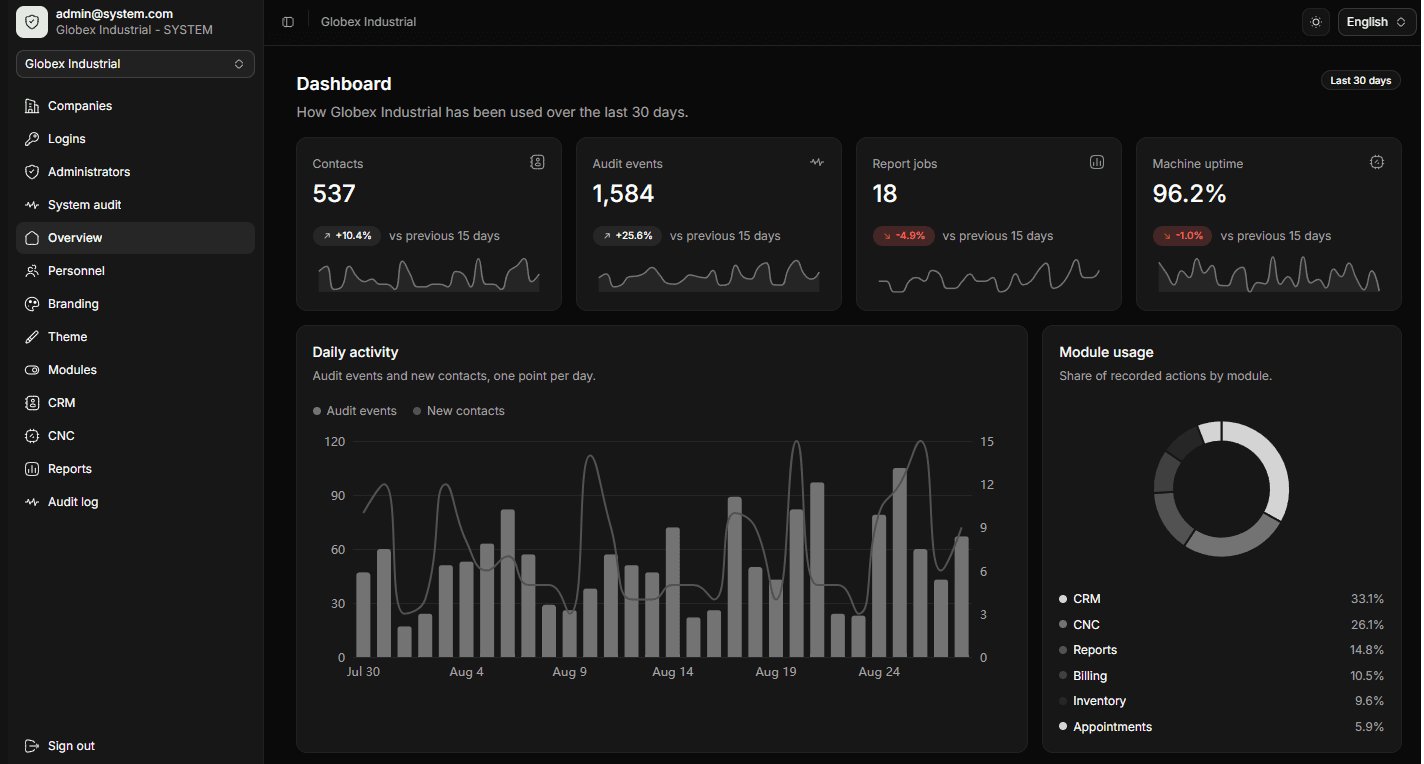
Nexa Core starts as a single admin panel for your staff, your products, your books and your permissions. On top of it you switch on only the modules you use: a public site for your catalogue, live monitoring for your CNC machines, a CRM.
The problem
Staff records, stock, the product list on the website and the machines on the floor each live in a different place, and every question that crosses two of them turns into manual work.
One panel, one login, one place the numbers come from — and on top of it, only the modules you actually work in.
The core
One workspace for the company: the people who work there, the things you sell, the money that moves, and who is allowed near which part of it. Every module plugs into it and shares the same users, roles and data.
Run several companies or branches from one login, each with its own data, users and settings.
Staff records, roles, contact details and status in one list.
Your product list with prices, descriptions and images in one place, read by the website and stock modules.
Invoices, income and expenses, and customer and supplier balances.
Owner, admin, member and viewer roles, with permissions down to the individual action.
Every meaningful change recorded with who made it and when.
Your logo, colours, typography and domain, starting at the login screen.
Scheduled reports and exports that run in the background and arrive as a file.
The two areas marked above are in development.
Questions
If yours isn't here, send it over — we answer within a working day.
Still have a question?Ask us directly
The workspace itself: companies and branches, personnel, products, roles and permissions, the audit log, reports and your own branding. Every module is added on top and shares the same users and data.
Yes. Most customers start with the panel and one module, then add another later. Switching one on is a setting on your account — nothing gets migrated.
If the machine or its controller speaks MTConnect, we read from that agent over your own network — no extra hardware and no cloud gateway. For older controllers we test one machine with you first.
Not for your catalogue. The website module publishes the same product records from the panel, on your own domain, in Turkish and English. If you already have a site, we can feed it from the API instead.
What you pay depends on which modules you switch on, how many people use them and whether we host it or you do. Tell us what you need and you'll have a written price within the week.
Yes. On managed plans it runs on our infrastructure with monitoring, backups and updates handled. It also deploys to your own servers or cluster with Docker.
NestJS, PostgreSQL, Redis and Docker on the backend; Next.js for the panel and the public site.
Tell us about it. A module built for you lives in the same panel as the rest and gets the same updates.
Book a demo
Thirty minutes on the live panel with the modules you care about.